1. Introduction to Text Exploder
Modern short-form video editing relies heavily on kinetic typography, animated podcast captions, and word-by-word subtitle highlighting to maximize audience retention.
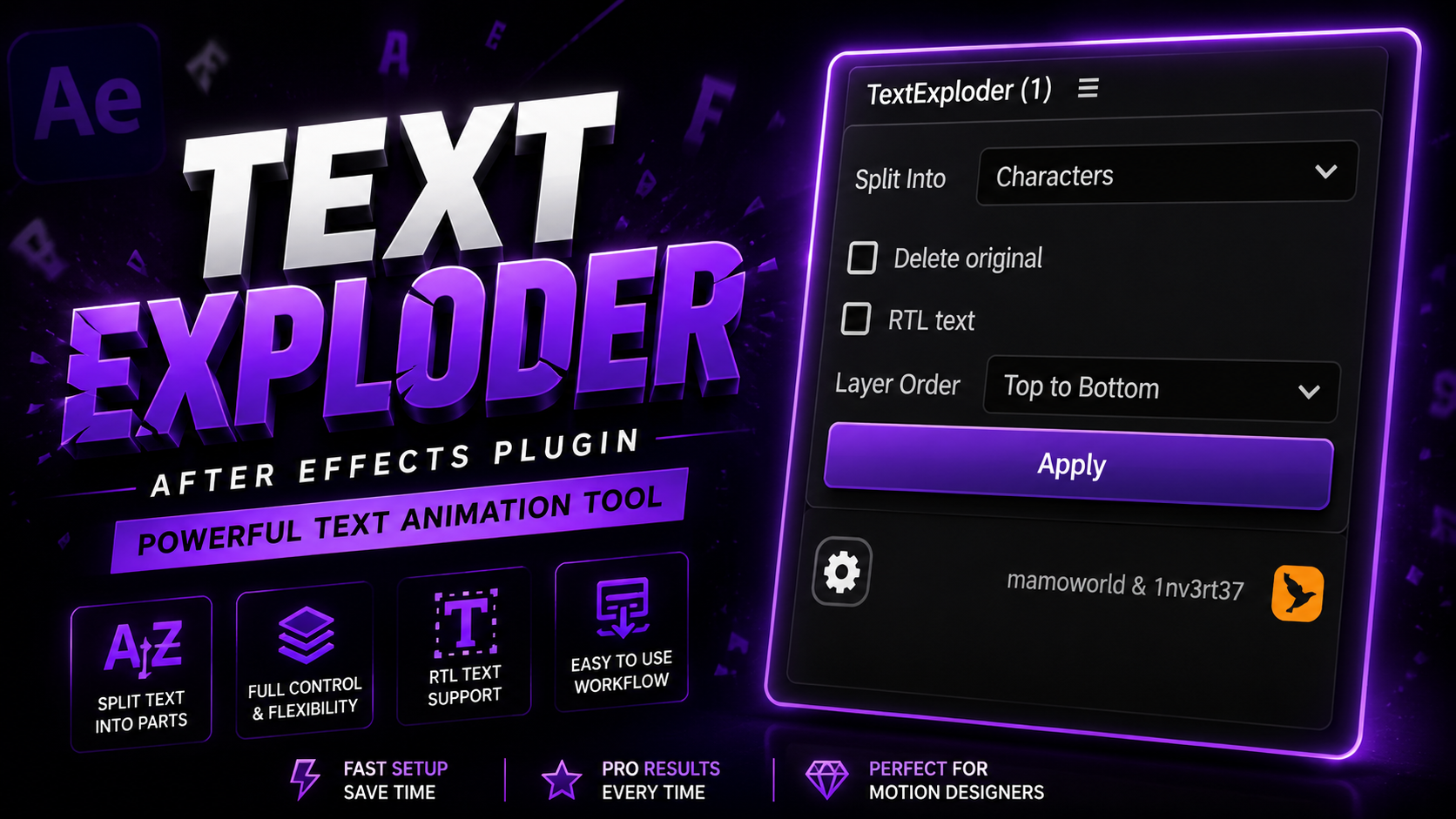
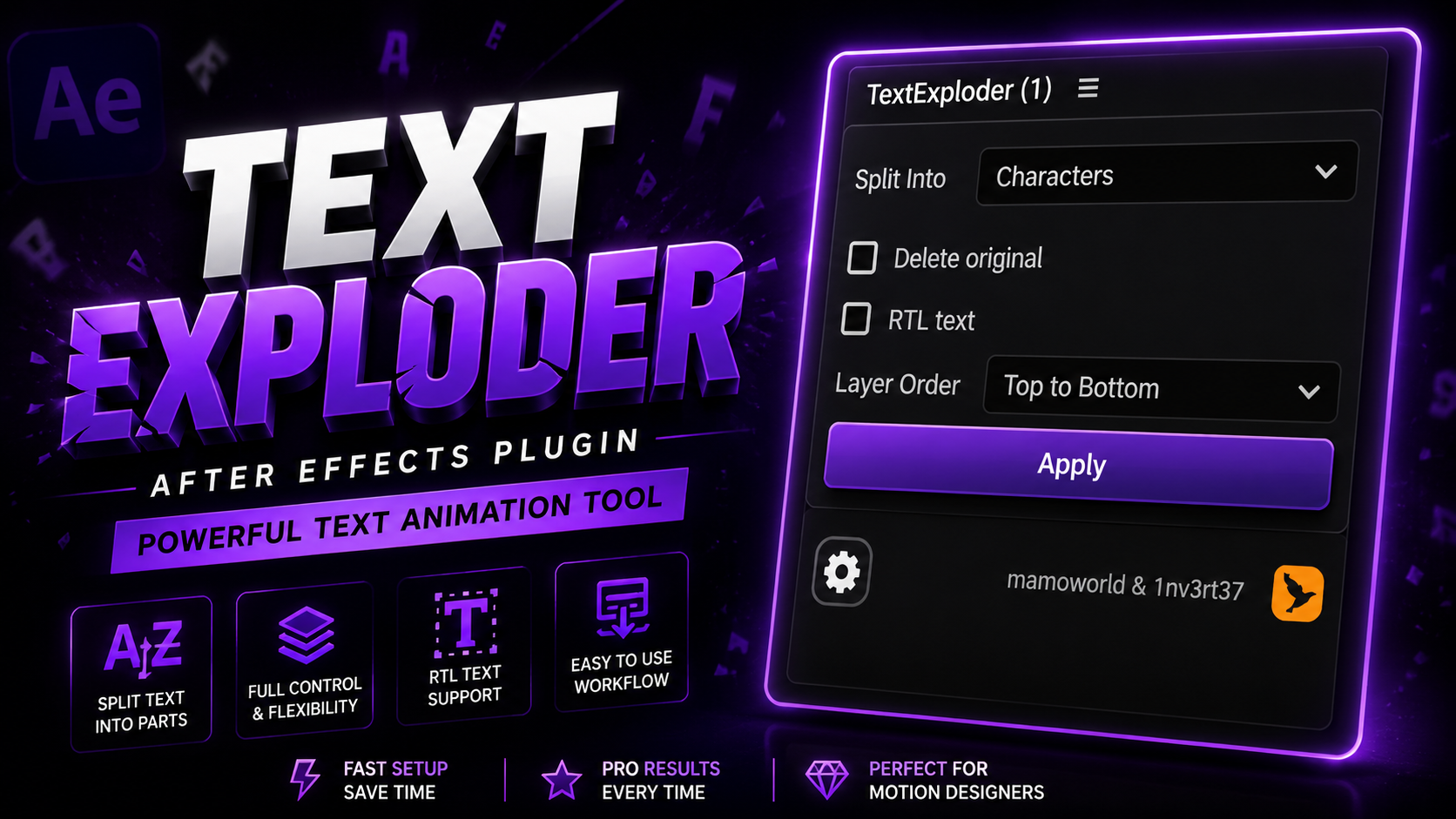
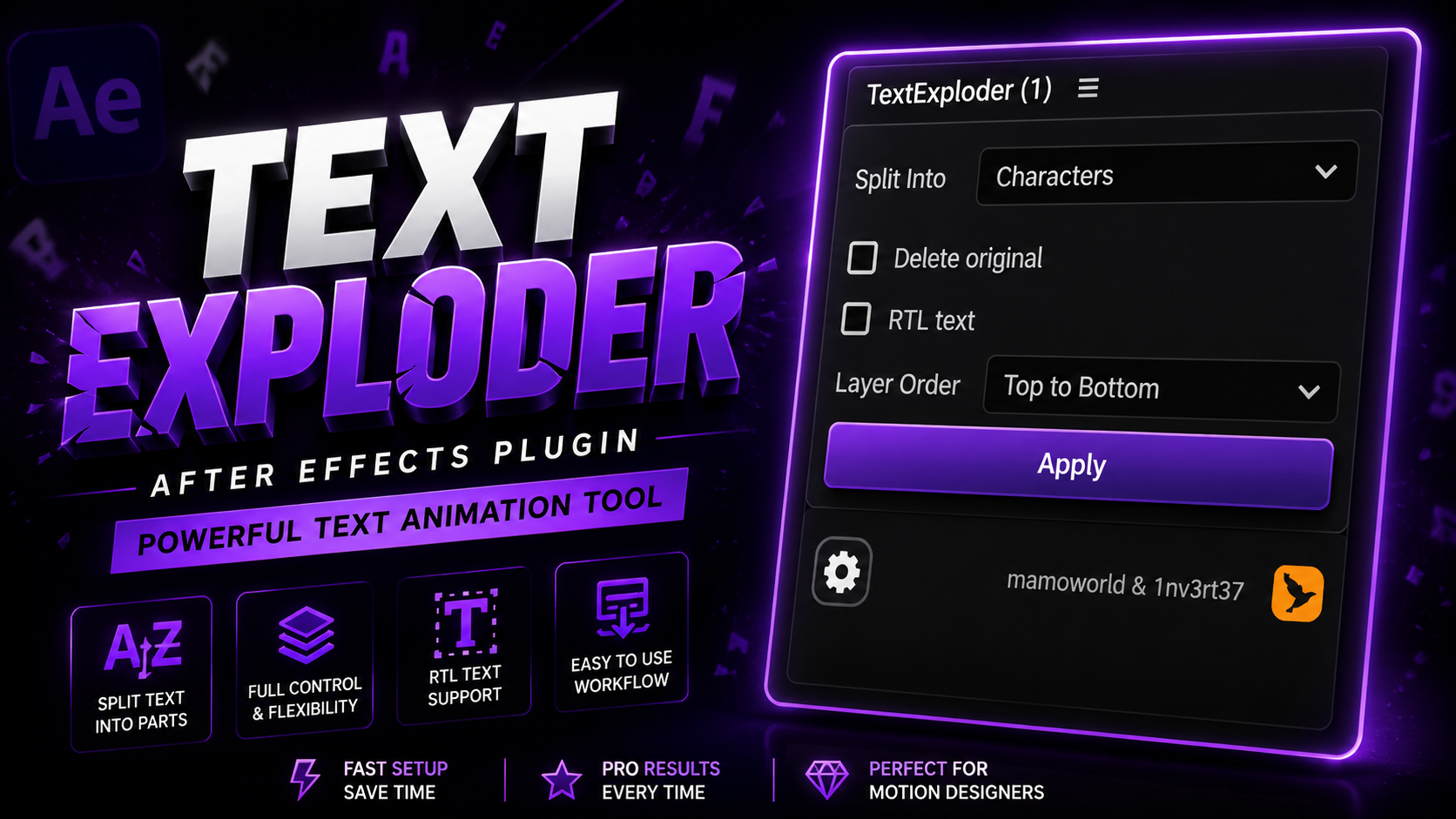
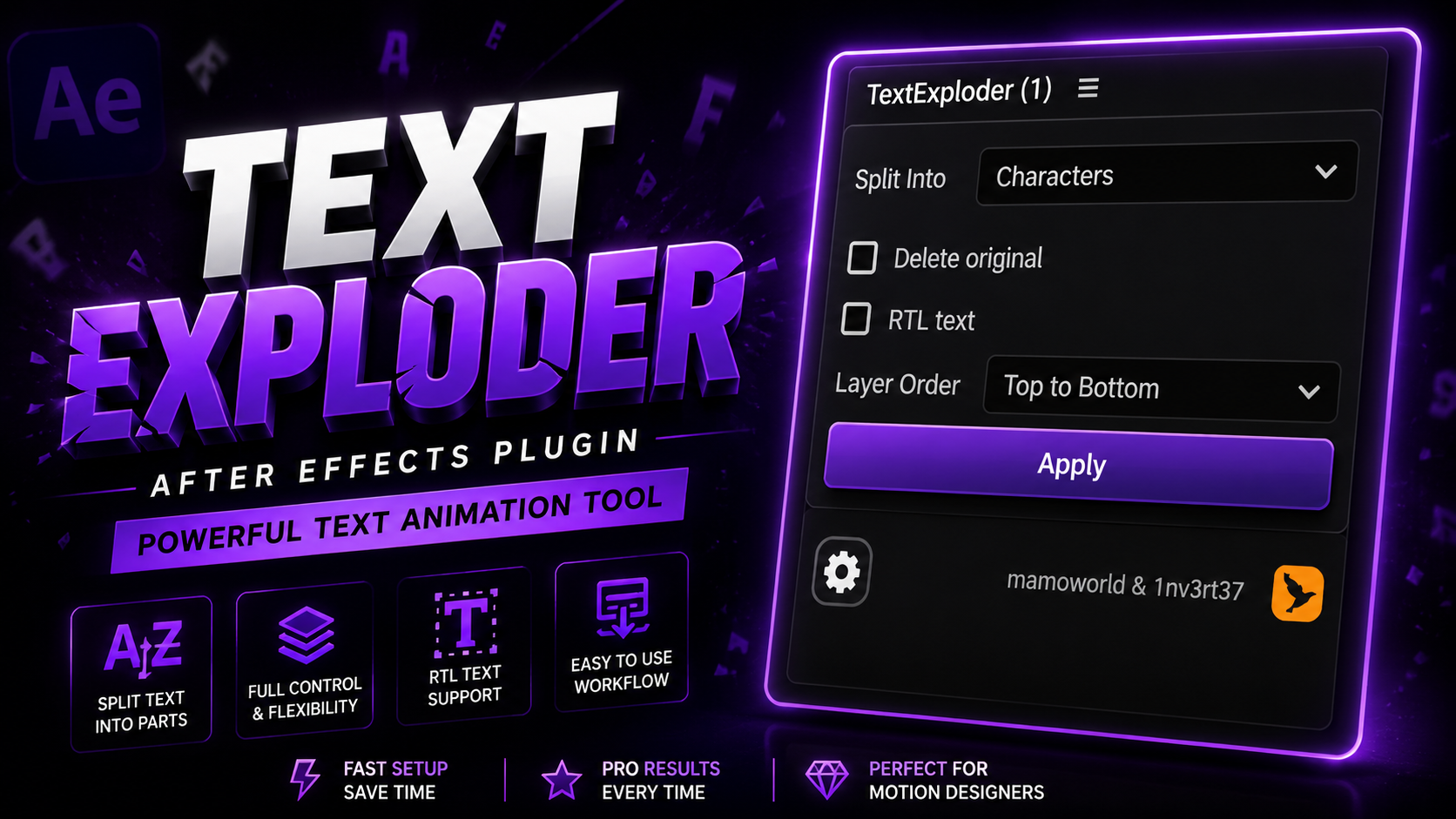
However, isolating individual words or letters from a single text block in Adobe After Effects is traditionally a grueling manual task. Editors are forced to duplicate layers, crop masks, or manually re-type words line by line. The text exploder after effects plugin resolves this bottleneck by automating layer separation with mathematical precision.
Whether you are working with text exploder v2 workflows, looking for a text breaker after effects plugin solution, or installing text exploder plugin mac tools via text exploder after effects aescripts, this free utility eliminates hours of repetitive labor on every video project.
2. Key Features
Text Exploder packs professional text separation capabilities into a single, responsive panel:
One-Click Split
Instantly isolate any selected text box into separate individual layers with a single click inside ScriptUI.
Character Separation
Split text down to individual letters for complex 3D letter rotations and staggered wave animations.
Word-by-Word Isolation
Separate paragraphs into standalone word layers perfect for podcast captions and subtitle pop-ups.
Line-by-Line Splitting
Isolate multi-line paragraphs into distinct line layers for clean editorial title reveals and lower thirds.
RTL Language Support
Full compatibility with Right-To-Left typography systems including Arabic and Hebrew scripts.
Intelligent Layer Control
Automatically places generated layers directly above the source layer and links anchor points cleanly.
All output layers remain live text layers, preserving font styles, weights, and color fills.
Integrate seamlessly with preset packs, Motion Tools Pro, or custom expression animators.
Optimized for fast caption synchronization on Alex Hormozi style video reels.
3. Why Use Text Exploder Free AE Script?
Manual text splitting in After Effects is one of the most tedious tasks in post-production. To animate 10 words individually without a script, an editor must duplicate the text layer 10 times, delete surrounding words manually on every single copy, and readjust anchor points.
- Instant Execution: Replaces 20 minutes of manual duplicating with a 1-second click.
- Preserves Exact Spatial Alignment: Words do not jump or shift position when separated.
- Non-Destructive Backups: Keeps original source text intact or hidden for future revisions.
- 100% Free Download: Complete commercial license without subscriptions or watermarks.
4. Perfect For Creators & Editors
Text Exploder is an essential utility for modern content formats:
High-speed word-by-word text popping for viral audio clips.
Eye-catching kinetic caption highlights that hold viewer attention.
Fast-paced text reveals and animated title cards.
Dynamic text overlays and word bounce effects.
Expressive typography animation for music videos and ads.
Clean word isolation for color-coded subtitles.
5. Workflow Comparison Matrix
Compare manual text layer duplicating against the automated text exploder plugin after effects free workflow:
| Feature / Metric | Text Exploder Free AE Script ★ | Manual Layer Duplicating |
|---|---|---|
| Execution Time | 1 Second | 15 to 30 Minutes |
| Positional Accuracy | 100% Perfect Pixel Alignment | Manual Alignment & Jitter Risk |
| Layer Management | Clean Auto-Naming & Grouping | Messy Duplicated Layers |
| Formatting Preservation | Preserves Fonts, Colors & Kerning | Easy to Lose Character Spacing |
| Editing Speed | Ultra-Fast Workflow | Sluggish & Error-Prone |
6. Real World Use Cases
Text Exploder is utilized across professional commercial production environments:
Isolate lyrics into timed words for synchronized musical kinetic typography.
Animate key phrases word-by-word for documentary interviews and promo spots.
Speed up client revisions by keeping text elements non-destructive and organized.
Highlight individual vocabulary words during e-learning presentations.
7. What's Included in the Download
8. Step-by-Step Installation Guide
Follow these 5 steps to install Text Exploder in Adobe After Effects:
Step 1: Download Package
Click the download button above to get the Text Exploder ZIP archive from PRADUMNA_FX.
Step 2: Extract ZIP Archive
Unzip the archive file to reveal Text_Exploder.jsx.
Step 3: Copy to ScriptUI Panels Folder
Move Text_Exploder.jsx into your After Effects ScriptUI directory:
- Windows:
C:\Program Files\Adobe\Adobe After Effects [Version]\Support Files\Scripts\ScriptUI Panels\ - macOS:
/Applications/Adobe After Effects [Version]/Scripts/ScriptUI Panels/
Step 4: Enable Scripting Preferences
Open After Effects, navigate to Preferences > Scripting & Expressions, and check "Allow Scripts to Write Files and Access Network".
Step 5: Launch & Explode Text
Restart After Effects, locate Text Exploder under the Window menu, and dock the panel into your workspace.
9. Compatibility Overview
Text Exploder runs cross-platform on Windows and macOS across modern After Effects builds:
 AE 2020, 2021, 2022, 2023, 2024, 2025, 2026+
10. Performance & Engine Optimization
Text Exploder utilizes native DOM text parsing for instant layer generation without causing memory bottlenecks or timeline lag.
11. People Also Ask (10 PAA Questions)
12. Frequently Asked Questions
13. Why Download From PRADUMNA_FX
15. Related Guides & Articles
How to Install AE Scripts
Complete beginner guide to installing .jsx and .jsxbin panels in After Effects.
Best Free AE Scripts
Top 10 free After Effects extensions and scripts every editor should own.
Typography Animation Guide
Mastering kinetic text effects and caption synchronization in After Effects.