100+ UI Widgets Pack – Animated Interface Elements
A complete After Effects extension pack containing 100 animated UI widgets across 10 categories — clocks, weather, calendars, health, music, finance, smart home, social, travel, and charts. Includes a .zxp panel and a live Preview Browser. No third-party plugins required.
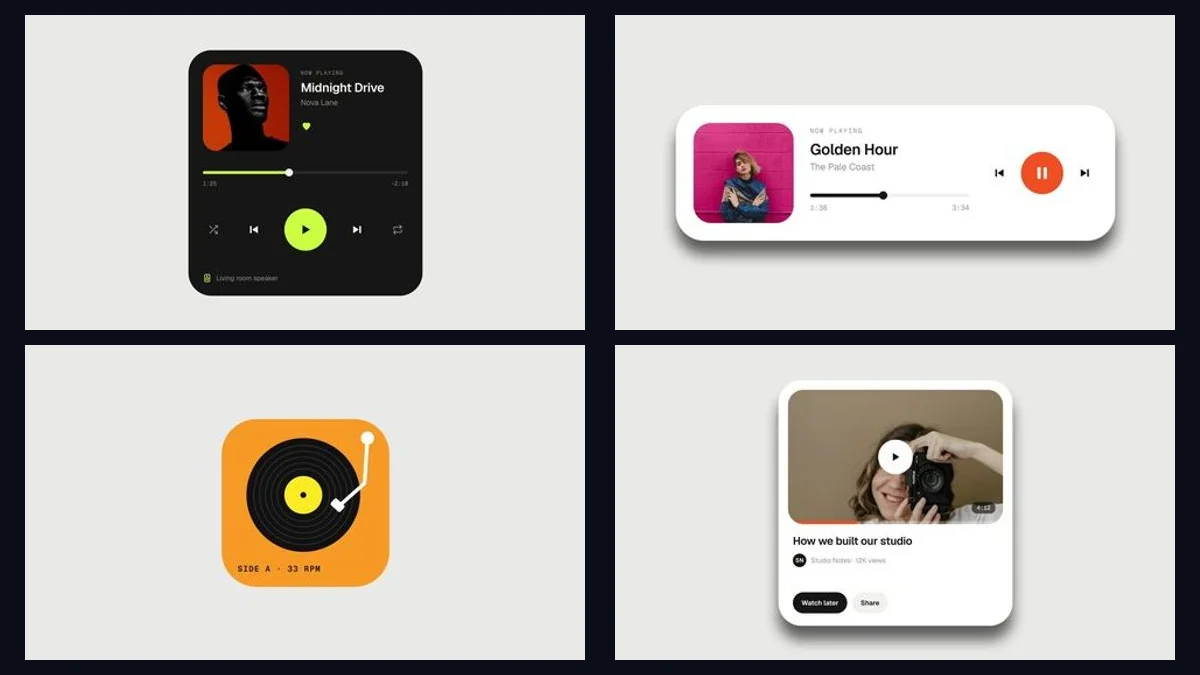
100 Animated UI Widgets Across 10 Categories
Each widget is a fully self-contained After Effects composition with its own Controls layer for editing text, colours, and animation timing. Built entirely with shape layers and text — no third-party plugins required.
Widget Categories
Time & Clock, Weather, Calendar & Productivity, Health & Fitness, Music & Media, Finance, Smart Home & Device, Communication & Social, Travel & Navigation, Charts & Lifestyle — 10 widgets per category, 100 total.
Browse All 100 Widgets Live
Use the built-in Preview Browser to browse, search, and filter all 100 animated widgets by category before downloading. Hover to play the animation preview for each widget.
Opens in a new tab. All 100 widgets with animated previews, search, and category filters.
How to Use the UI Widgets Pack
Follow these steps to set up and use the pack in After Effects 2025 or newer.
Font/links.txt before opening the project to avoid missing-font substitutions.
.aep project file in After Effects 2025 or newer.
UI_Widgets_Pack_Panel.zxp using a ZXP installer, restart After Effects, then open via Window → Extensions → UI Widgets Pack.
Technical Requirements & Compatibility
Verified compatibility metrics for production environments.
Frequently Asked Questions
Common answers regarding usage, installation, and workflow integration.
Is the 100+ UI Widgets Pack completely free?
Yes, it is provided 100% free of charge for both personal and commercial After Effects projects on PRADUMNA_FX.
Which version of After Effects is required?
The project file is intended to be opened in After Effects 2025 or newer.
Do I need any third-party plugins?
No. The template is built entirely with shape layers and text and does not require any third-party plugins to function.
Why do some image slots show grey placeholders?
Preview photos are not included in the pack. Image slots display grey placeholders by default. Replace them with your own images using the After Effects footage replacement workflow.
Is the ZXP panel required to use the widgets?
No. The UI_Widgets_Pack_Panel.zxp extension panel is an optional convenience tool. All 100 widgets are fully accessible by opening the .aep project file directly in After Effects.
How do I install the fonts?
Open the Font/links.txt file included in the download. It contains links to the free fonts used (Geist, Geist Mono, Doto, Instrument Serif). Install them on your system before opening the project.
100+ UI Widgets Pack – Animated Interface Elements
Download this verified creative asset immediately. Clean package, instant delivery, zero signup required.
Related Plugins & Scripts