Liquid Glass for After Effects
Create beautiful liquid-glass style shapes and UI elements inside Adobe After Effects with a single click. Perfect for modern UI animations, motion graphics, gl
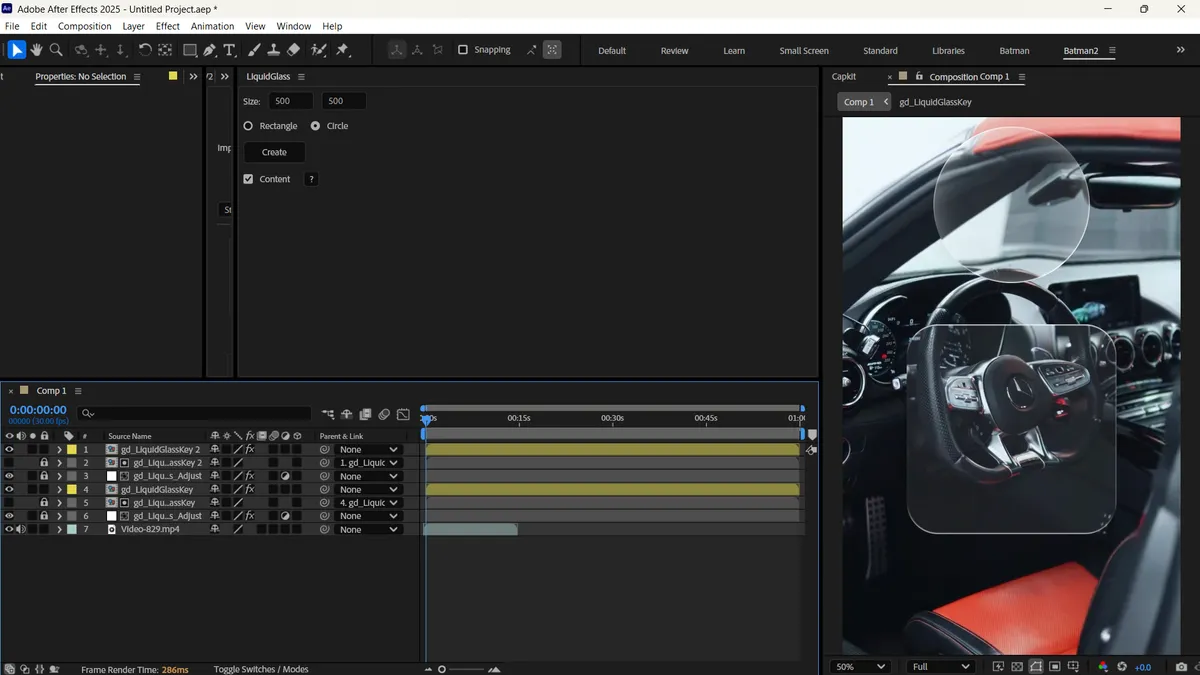
Plugin Capabilities & Architecture
Designed to streamline motion graphics, eliminate redundant manual steps, and provide rock-solid timeline performance.
One-Click Execution
Instantly applies effects or automates layer setups without manual keyframing.
Installation & Setup Procedure
Follow these verified steps to integrate Liquid Glass for After Effects into your Adobe After Effects environment.
Step 01
Start with a high-contrast, colorful gradient background.
Step 02
Create a rounded rectangle or organic blob shape using the pen tool.
Liquid Glass
Apply the Liquid Glass effect.
Step 04
Increase the 'Refraction Index' to simulate thick glass.
Step 05
Add a subtle white inner shadow to emulate edge lighting.
Step 06
Animate the shape's path over time, and let the plugin dynamically handle the distortion.
Step 07
Create your base 3D model using Element 3D and assign a basic refractive material.
Step 08
Render a pass of your 3D model's alpha and depth channels.
Liquid Glass After Effects script
Apply the Liquid Glass After Effects script to a 2D adjustment layer, using the Element 3D alpha pass as your mask.
Step 010
This hybrid approach allows you to inject the highly stylized, chromatic edge distortion of the Liquid Glass plugin onto complex 3D meshes that Element 3D normally struggles to render with caustics.
Default Installation Directories
C:\Program Files\Adobe\Adobe After Effects [Version]\Support Files\Scripts\ScriptUI Panels
/Applications/Adobe After Effects [Version]/Scripts/ScriptUI Panels
Technical Requirements & Compatibility
Verified compatibility metrics for production environments.
Frequently Asked Questions
Common answers regarding licensing, installation, and workflow integration.
Is Liquid Glass for After Effects completely free to use?
Yes, Liquid Glass for After Effects is provided 100% free of charge for both personal and commercial motion design projects on PRADUMNA_FX.
Which versions of Adobe After Effects are supported?
Liquid Glass for After Effects is verified compatible with Adobe After Effects CC 2019 through CC 2024 on supported operating systems.
How do I install Liquid Glass for After Effects?
Follow our guided installation section above: extract the downloaded archive, move the files to your application directory, enable script permissions if required, and restart the host app.
Liquid Glass for After Effects
Download this verified creative asset immediately. Clean package, instant delivery, zero signup required.
Related Plugins & Scripts