Plugins & Scripts

Motion Tools Pro

Motion Tools Pro Preview
Motion Tools Pro Screenshot 1
Motion Tools Pro Screenshot 2
Motion Tools Pro Screenshot 3
Motion Tools Pro Screenshot 4
Download Asset
  • VersionPro 1.1
  • File Size15 MB
  • Platform Windows & macOS
  • LicenseFree / Commercial
  • DeveloperMotion Design School
Passed Security Scan

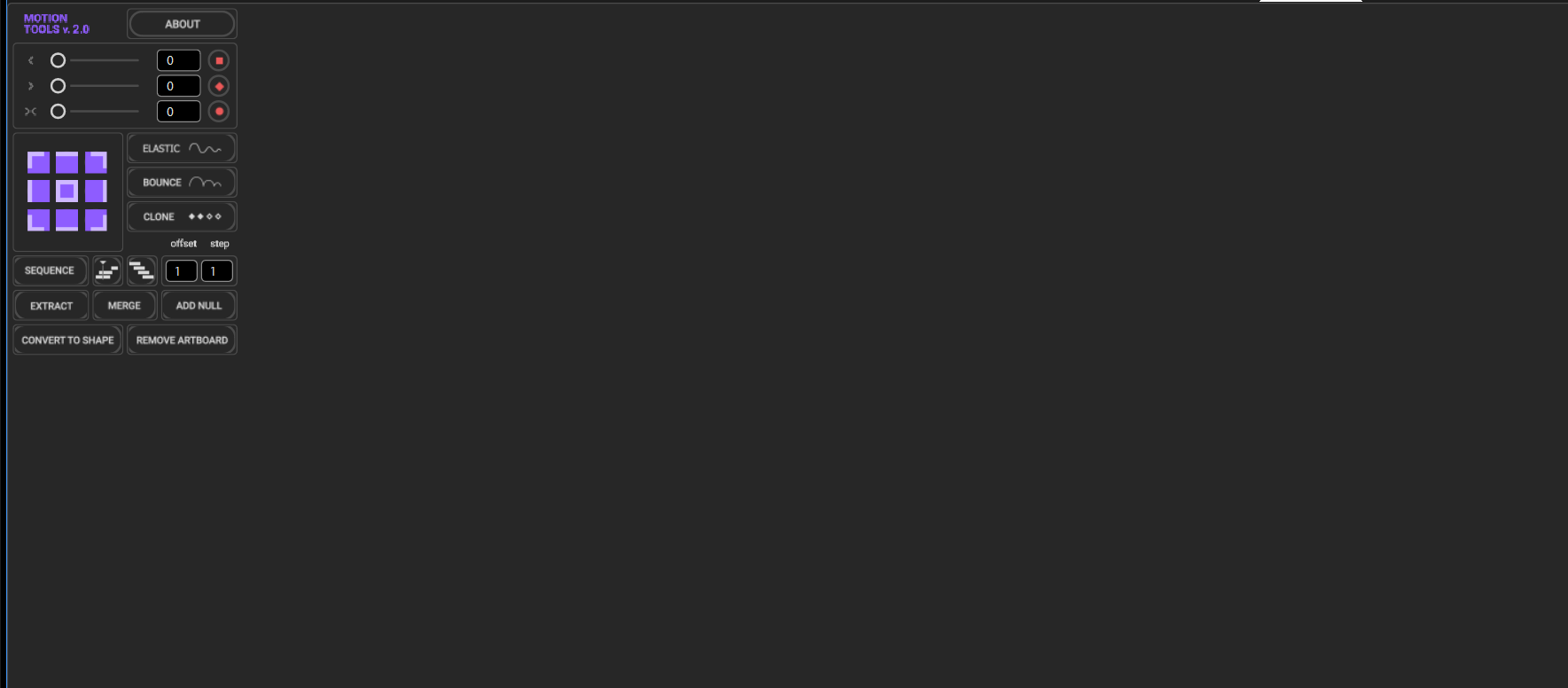
The ultimate extension for professional motion designers. Motion Tools Pro consolidates keyframe cloning, easing, anchor point management, and layer sequencing into one hyper-efficient UI.

Downloads 42,500+
Last Updated July 2026
Rating 4.9/5

Engineered for Speed

Keyframe Cloning

Instantly clone multiple keyframes and mirror their values across the timeline with a single click.

Elastic Easing

Apply complex elastic and bounce easing curves to keyframes without writing a single expression.

Sequence Layers

Stagger multiple layers by specific frame counts to create cascading animations instantly.

Anchor Point Grid

Snap anchor points perfectly to any of the 9 bounding box coordinates without moving the layer.

What's Included

ZXP File Pro Build
Presets Integrated
Documentation Online
Updates Included

Installation Guide

1

Download ZXP

Download the Motion Tools Pro ZXP file.

2

Install via ZXP Installer

Use Aescripts ZXP Installer to install the extension into Adobe CEP.

3

Launch AE

Open After Effects and navigate to Window > Extensions > Motion Tools Pro.

4

Activate Panel

Dock the panel to your workspace and start optimizing your workflow.

Compatibility

After Effects After Effects
Windows 10/11
macOS

Why Download From PRADUMNA_FX

Virus Checked
Every file is scanned for malware before being uploaded.
Fast Download
Hosted on global edge networks for maximum speed.
Weekly Updates
We continuously update extensions to ensure compatibility.
Commercial Use
Use tools safely across personal and client projects.

Frequently Asked Questions

Pro was completely rebuilt with a new UI, faster CEP architecture, and added features like Elastic Easing and advanced Keyframe Cloning.
Select multiple layers, enter a frame offset (e.g., 2), click Sequence, and each layer will shift forward by 2 frames in order of selection.
Yes! The 'Extract' button pulls layers out of a pre-comp and places them into your main comp while retaining their exact world position.
Yes, the Pro version is fully compatible with the latest Adobe CC updates.
Only for initial license verification, after which it runs entirely offline.

Share Resource