Plugins & Scripts

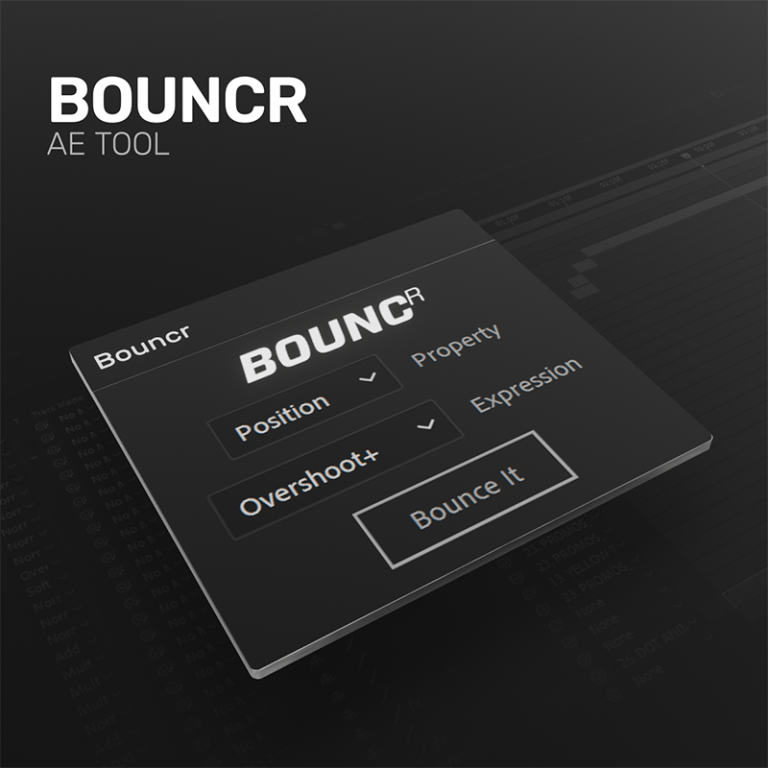
Bouncr Script

Bouncr Script Preview
Bouncr Script Screenshot 1
Bouncr Script Screenshot 2
Bouncr Script Screenshot 3
Bouncr Script Screenshot 4
Download Asset
  • Version1.5
  • File Size1 MB
  • Platform Windows & macOS
  • LicenseFree / Commercial
  • DeveloperUkramedia
Passed Security Scan

A lightweight, powerful script that applies dynamic spring physics and overshoot expressions to your keyframes. Perfect for creating fluid, bouncy motion graphics instantly without complex math.

Downloads 42,500+
Last Updated July 2026
Rating 4.9/5

Engineered for Speed

Spring Physics

Calculates realistic decay, frequency, and amplitude to create natural bouncing overshoot on any property.

No Baked Keyframes

Applies a clean, lightweight expression, meaning you can still adjust your original two keyframes easily.

Property Support

Works flawlessly on Scale, Position, Rotation, and even custom Effect parameters.

Custom UI Controllers

Generates a pseudo-effect controller on your layer to adjust bounce parameters without touching code.

What's Included

Script File .jsxbin
UI Panel Dockable
Documentation PDF
Example AEP

Installation Guide

1

Download Script

Download the Bouncr .jsxbin file.

2

Copy to Scripts

Navigate to After Effects / Support Files / Scripts / ScriptUI Panels.

3

Paste File

Paste the file into the ScriptUI directory.

4

Launch & Dock

Open AE, select Bouncr from the Window menu, and dock it to your workspace.

Compatibility

After Effects After Effects
Windows 10/11
macOS

Why Download From PRADUMNA_FX

Virus Checked
Every file is scanned for malware before being uploaded.
Fast Download
Hosted on global edge networks for maximum speed.
Weekly Updates
We continuously update extensions to ensure compatibility.
Commercial Use
Use tools safely across personal and client projects.

Frequently Asked Questions

The script looks at the velocity of your last keyframe. Just create two linear keyframes, and Bouncr will calculate the overshoot after the second keyframe.
Yes, once applied, a 'Bouncr Controls' effect is added to the layer where you can adjust Amplitude, Frequency, and Decay.
Yes, it successfully calculates overshoot for X, Y, and Z dimensions simultaneously.
Ensure your keyframes have distance/velocity. If you apply it to two identical keyframes, there is no momentum to calculate a bounce.
No, the expression is heavily optimized and adds negligible render time.

Share Resource